At the top of your Outlook window you will find the Outlook address book. Double click on the icon and another window will pop up with all the contacts you can also find in Sharepoint. Search for the person beginning with the first name.

The "Address Book: Offline Global Address List" window will open showing you the list of staff members.
Search by the first name of the staff member you want to find.
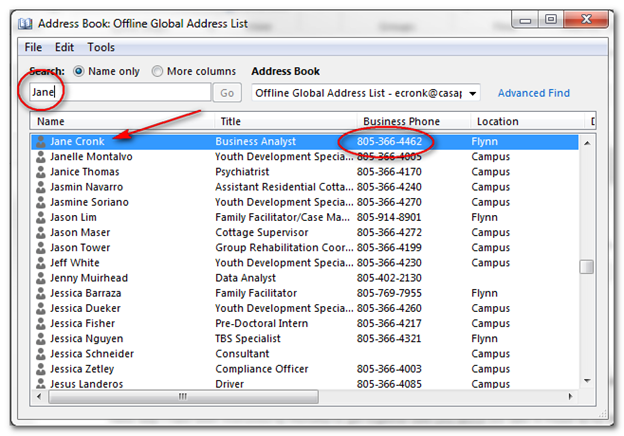
Double click on the staff member to view the tabular information about this person. To get the most information about this person, click on the Actions button near the bottom of the window.
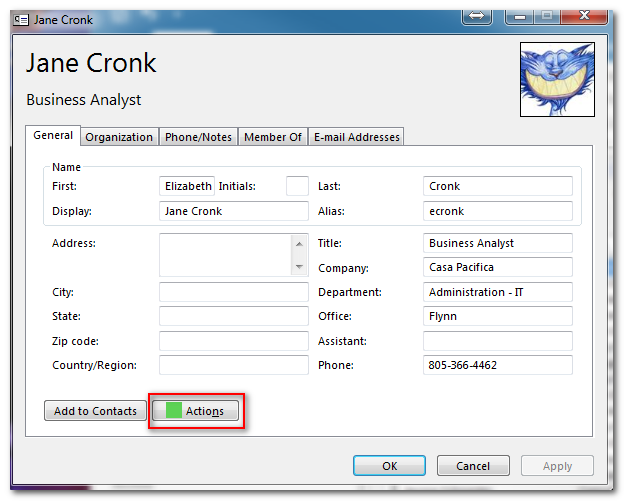
This will bring up all the information for this person in tabular form.


Close window to return to the Outlook main screen.
0 Comments